 Skip to content

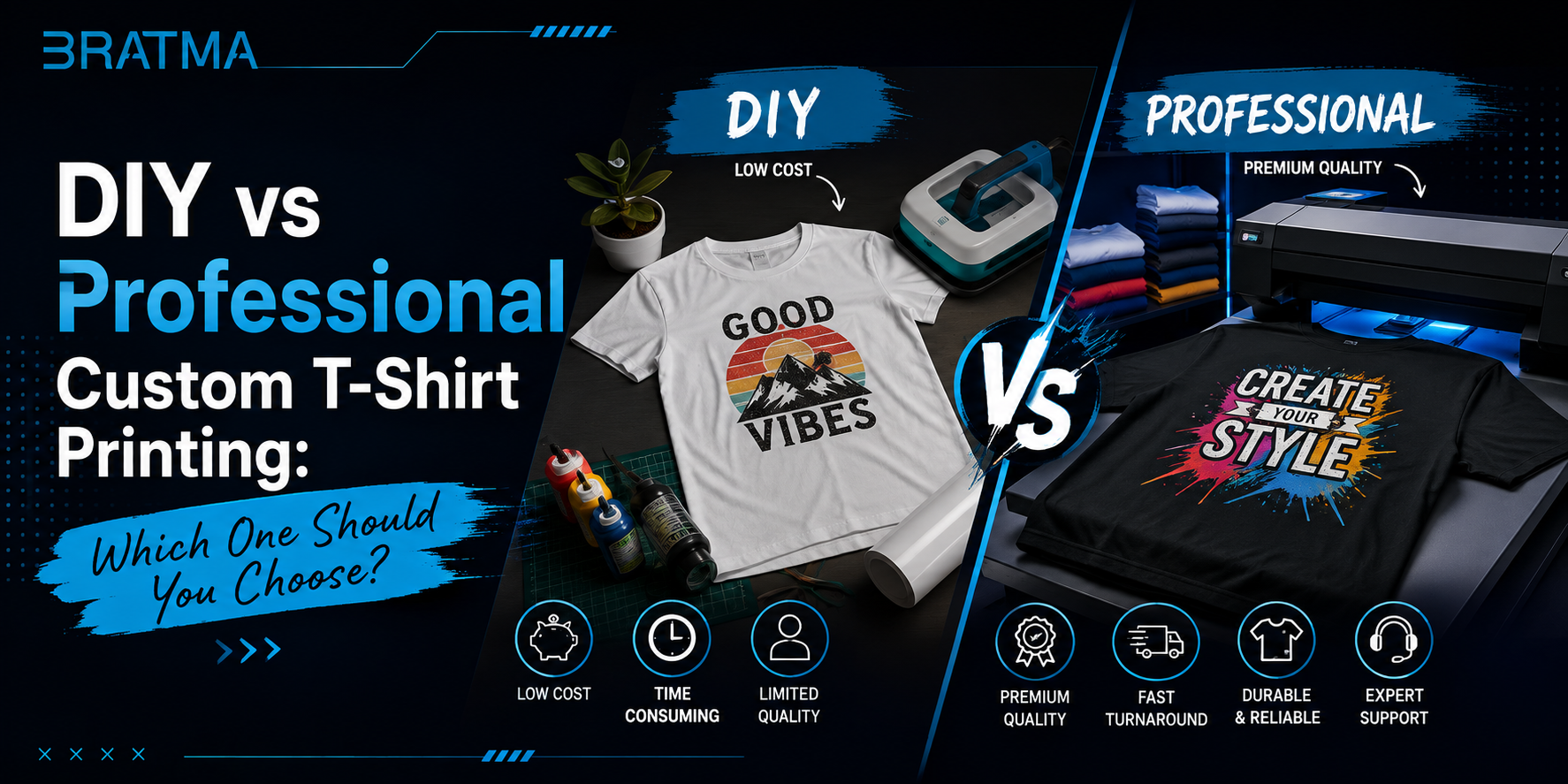
Printing your own T-shirts at home sounds simple until you're staring at a heat press, a roll of vinyl, and a design that needs to end up perfectly centered on twelve shirts by Saturday. At that point, the real question isn't "can I do this myself" it's whether DIY printing will actually save you time and money compared to sending the job to a professional printer.
The short answer: DIY printing makes sense for one-off shirts, gifts, and small personal projects where you don't mind a learning curve. Professional printing makes sense once you need consistent quality across multiple shirts, detailed or multi-color designs, or a finish that will survive regular washing which matters more the longer you plan to wear or sell the shirt.
This guide compares both approaches honestly: what each method actually costs, how the print quality and durability differ, and which situations call for which choice. If you'd rather skip the equipment altogether, Bratma Crafts' homepage shows the kind of ready-made and custom-printed apparel a professional print shop can produce.
Quick Answer: Is DIY or Professional T-Shirt Printing Better?
Neither option is universally better it depends on quantity, design complexity, and how long you need the print to last. For one to five shirts with a simple design, DIY methods like heat transfer vinyl (HTV) or iron-on transfer paper are usually cheaper and fast enough. For anything beyond that bulk orders, detailed artwork, or shirts you plan to sell professional methods like screen printing, DTG, or DTF give you better consistency, sharper detail, and prints that hold up over more washes.
What Is DIY T-Shirt Printing?
DIY printing means producing the design yourself at home, using consumer-level equipment rather than a print shop's machinery. It covers everything from a $30 iron-on kit to a home vinyl cutter and small heat press setup.
Common DIY Methods
Iron-On Transfer Paper You print your design onto special transfer paper using a regular inkjet or laser printer, then press it onto the shirt with an iron or a small heat press.
-
How it works: The paper's coating releases the printed ink onto the fabric under heat and pressure.
-
Difficulty: Low no cutting or weeding required.
-
Advantages: Cheapest entry point, works with a printer you likely already own, good for full-color and photographic designs.
-
Disadvantages: Standard transfer paper prints typically last only 10–20 washes before fading or cracking, and high-quality applications on 100% cotton may reach 30–50 washes at best.
-
Best use case: One-off gifts, event shirts, or designs you don't need to survive long-term wear.
Heat Transfer Vinyl (HTV) A vinyl cutter cuts your design out of a solid-color vinyl sheet. You "weed" away the excess vinyl around the design, then press the remaining shape onto the shirt.
-
How it works: Heat and pressure bond the vinyl layer permanently to the fabric surface.
-
Difficulty: Moderate requires a cutting machine and some patience weeding intricate designs.
-
Advantages: Noticeably more durable than transfer paper, generally holding up for 50 or more washes when properly applied.
-
Disadvantages: Not practical for photographic or highly detailed multi-color designs, since each color typically needs its own cut layer.
-
Best use case: Names, numbers, logos, and simple shapes team shirts, matching family shirts, small business branding on a budget.
Home Screen Printing A simplified version of professional screen printing, using a small screen, squeegee, and fabric ink, usually for single-color designs.
-
How it works: Ink is pushed through a mesh stencil onto the fabric by hand.
-
Difficulty: High relative to other DIY methods good screen prep and even ink application take practice.
-
Advantages: Can produce genuinely durable prints if done carefully, and scales reasonably well if you're making a batch of identical shirts.
-
Disadvantages: Messy setup, steep learning curve for clean results, impractical for detailed or multi-color art without professional equipment.
-
Best use case: Hobbyists producing a small run of simple, single-color designs.
Small Home Heat Presses Not a printing method on its own, but the equipment that makes HTV and transfer paper results more consistent than a household iron.
-
Advantages: More even heat and pressure than an iron, meaning more reliable results.
-
Disadvantages: An added upfront cost that only pays off if you'll print multiple shirts over time.
What Is Professional T-Shirt Printing?
Professional printing uses commercial-grade equipment and processes run by an experienced print shop. The main methods are screen printing, DTG (direct-to-garment), and DTF (direct-to-film), each suited to different quantities and design types.
Screen Printing
Ink is pushed through a mesh stencil onto the garment, with a separate screen required for each color in the design.
-
Best use case: Bulk orders, especially 24 or more shirts, and simple designs with a limited color count.
-
Print quality: Vibrant, opaque color that sits well on cotton.
-
Durability: Among the most durable methods available a well-executed screen print on cotton can last hundreds of washes and, in some cases, outlast the garment itself.
-
Design flexibility: Best suited to designs with a small number of distinct colors, since each additional color adds a screen and setup cost.
-
Fabric compatibility: Performs best on cotton and cotton-rich blends.
DTG (Direct-to-Garment)
A specialized inkjet printer applies water-based ink directly into the fabric fibers, similar to printing a photo onto paper.
-
Best use case: Small runs, one-off shirts, and detailed, multi-color, or photographic designs where screen printing's per-color setup cost wouldn't make sense.
-
Print quality: Soft hand feel, especially strong on 100% cotton or cotton-rich fabric.
-
Durability: Generally holds up well but is considered somewhat less wash-durable than screen printing over very long-term, frequent washing.
-
Design flexibility: Excellent unlimited colors with no setup cost per color.
-
Fabric compatibility: Works best on 100% cotton; dark garments require pretreatment, which adds a processing step.
DTF (Direct-to-Film)
The design is printed onto a special film, then heat-pressed onto the garment, working across a much wider range of fabrics than DTG.
-
Best use case: Small-to-medium batch orders, detailed full-color designs, and situations where the fabric isn't pure cotton.
-
Print quality: Vibrant and increasingly close to DTG in appearance, though the finish can feel slightly thicker on the fabric due to the transfer layer.
-
Durability: Strong modern DTF transfers are commonly rated for 50 to 100-plus washes with correct application and care, though poor pressing can shorten that considerably.
-
Design flexibility: Handles complex, multi-color, and photographic artwork well, with no per-color setup cost.
-
Fabric compatibility: Works on cotton, polyester, blends, and even non-apparel items the most versatile of the three professional methods.
Sublimation (Where Relevant)
Dye is heat-transferred so it becomes part of the fabric itself, rather than sitting on top of it.
-
Best use case: All-over prints and polyester or poly-coated items.
-
Limitation: Only works reliably on white or light-colored polyester or polyester-coated fabric not suitable for cotton T-shirts.
DIY vs Professional T-Shirt Printing: Comparison Table
|
Factor |
DIY Printing |
Professional Printing |
|
Initial Cost |
Low for transfer paper (often under the cost of one professionally printed shirt); higher for HTV cutter or home screen printing setup |
No equipment cost to you; price is per shirt or per order |
|
Equipment |
Home printer, iron or small heat press, possibly a vinyl cutter |
Commercial printers, presses, and screen equipment owned by the print shop |
|
Learning Curve |
Low (transfer paper) to high (home screen printing) |
None handled by trained staff |
|
Print Quality |
Good to very good, depending on method and skill |
Consistently high, especially for detailed or multi-color designs |
|
Durability |
10–20 washes (transfer paper) up to 50+ washes (HTV, if well applied) |
50 to 100+ washes depending on method; screen printing can outlast the garment |
|
Time |
Fast for one shirt; slow and repetitive for multiple shirts |
Fast per unit once production starts; may involve turnaround time for the order |
|
Customization |
High for one-off or per-shirt personalization |
High, especially with DTG/DTF; screen printing favors fewer colors |
|
Small Orders (1–5 shirts) |
Usually more practical and cost-effective |
Can still be cost-effective with DTG/DTF, which have no per-color setup fee |
|
Bulk Orders (50+ shirts) |
Time-consuming and inconsistent by hand |
Clearly more practical screen printing cost per shirt drops sharply at volume |
|
Consistency |
Varies with skill and equipment; harder to repeat exactly |
High machines apply pressure, temperature, and registration consistently |
|
Best For |
Personal projects, gifts, small matching sets |
Selling apparel, business or event orders, detailed graphics, long-term durability |
The Real Cost Comparison: DIY vs Professional Printing
It's tempting to assume DIY is always cheaper, but that's only true under certain conditions.
What DIY costs actually include:
-
A blank T-shirt
-
Transfer paper, vinyl, or ink and screen materials
-
A printer, cutter, or heat press (if you don't already own one)
-
Time spent designing, cutting, weeding, and pressing
-
The cost of failed or misaligned prints while you're learning
For a single shirt using transfer paper you already have the equipment for, DIY can cost only a few dollars beyond the blank shirt. But once you factor in a heat press or vinyl cutter purchase, that "cheap" option can end up costing more than simply ordering a handful of shirts professionally printed unless you'll reuse the equipment for future projects.
What professional printing costs actually include:
-
The blank shirt (sometimes supplied by the printer, sometimes by you)
-
Setup cost, which varies by method screen printing charges per color, while DTG and DTF typically have no setup fee
-
The per-unit printing cost, which drops as order size increases for screen printing
For orders of roughly 24 shirts or more, screen printing usually delivers the lowest cost per unit and the most durable result. For smaller runs, especially detailed or full-color designs, DTG and DTF often beat DIY once you account for the time, mistakes, and equipment cost of doing it yourself.
Practical example: If you want two matching shirts for a weekend trip and already own an iron, transfer paper is the cheaper and faster choice. If you're producing 50 branded shirts for a store launch, professional screen printing will almost always work out cheaper per shirt and far more consistent than trying to do it by hand the kind of consistency you'd see across a batch order in Bratma Crafts' oversized T-shirts collection, where every unit needs to match.
DIY or Professional T-Shirt Printing: Which Should You Choose?
Choose DIY if:
-
You only need one to five shirts
-
You enjoy the hands-on process of making something yourself
-
You already own a printer, cutter, or heat press
-
Your design is simple a name, number, or basic shape
-
The shirt doesn't need to survive years of regular washing
Choose professional printing if:
-
You need consistent quality across multiple shirts
-
You're producing shirts for a business, event, or team
-
You're planning to sell the shirts
-
Your design includes detailed artwork, gradients, or many colors
-
You need reliable wash durability
-
You'd rather not invest in equipment for a one-time project
If you fall into the second group, it's worth browsing what a professional print shop already offers rather than starting from scratch Bratma Crafts' printed T-shirt collections show finished examples of graphic and quote-based designs produced with professional methods.
Common Mistakes to Avoid
-
Choosing the cheapest method without considering the design. Transfer paper is cheap, but it's a poor fit for a design you want to last years.
-
Buying expensive equipment for a one-time project. A vinyl cutter or heat press only pays off if you'll use it again.
-
Ignoring fabric compatibility. Sublimation only works on polyester; DTG performs best on cotton using the wrong method for the fabric leads to disappointing results.
-
Using poor-quality blank T-shirts. Even a well-executed print looks and feels cheap on a low-quality garment, and lower-GSM fabric can wear out faster than the print itself.
-
Not testing the design first. Print a test piece before committing to a full batch, especially with DIY methods where mistakes are easy to make early on.
-
Choosing the wrong printing method for the order size. Screen printing rarely makes sense for a single shirt; DIY methods rarely make sense for fifty.
-
Ignoring wash durability requirements. A shirt meant for daily wear needs a different method than a one-off event shirt.
-
Underestimating setup time. Weeding vinyl, aligning multiple screen colors, and testing heat settings all take longer than expected the first few times.
-
Failing to compare total cost, not just sticker price. Factor in equipment, materials, failed attempts, and your own time before assuming DIY is the cheaper route
Conclusion
There's no single right answer to DIY versus professional T-shirt printing the right choice depends on how many shirts you need, how detailed the design is, and how long you need the print to last. DIY methods like iron-on transfer paper and HTV are genuinely good options for small, personal projects where you already have or want to invest in the equipment. Professional methods like screen printing, DTG, and DTF make more sense once quality consistency, design detail, or order size become priorities. If you'd rather skip the equipment and go straight to a finished product, Bratma Crafts' hoodie and T-shirt collections are worth a look for professionally produced graphic and quote-based apparel.